From £100, Live in a Week: One Page Website SEO for UK SMEs

Yes, a one page website can rank, and it can rank well, if you nail the fundamentals: a tight keyword focus, proper headings and anchor links, fast page experience through Core Web Vitals, solid accessibility, and a real promotion plan. Google Search Console will show you exactly where each of these stands. This guide walks through each priority step by step, including how BasicBS handles it on real builds.
TL;DR:
- A single page website can rank well if it focuses on one or two related user intents and is optimized for speed, accessibility, and promotion.
- Effective keyword mapping involves selecting one primary keyword and four to six supporting terms, strategically placing them in headings, titles, and content.
- Proper site structure includes clear headings, anchor links, and content that exists in HTML to ensure Google can crawl and index all sections properly.
- Technical SEO improvements such as optimizing Core Web Vitals, reducing load times, and avoiding hidden content behind JavaScript enhance visibility for a single page.
- Promoting the site through relevant backlinks, social sharing, and local outreach amplifies authority, since all link equity concentrates on the one URL.
Table of Contents
- When a one page site is a good or poor choice for SEO
- Keyword planning and mapping for a single URL
- Structuring a one page site: headings, anchor links and content hierarchy
- Technical SEO for one page sites: performance, JS rendering, indexing and canonicalisation
- Images, media and structured data on a single page
- Links, promotion and how to earn authority for one URL
- Analytics, testing and ongoing optimisation for a one page site
- Accessibility and UK guidance: what to do and where to link
- Content length considerations and balancing keyword density on a single page
- Internal linking strategies suitable for a one page website to enhance SEO
- User experience considerations impacting SEO, such as navigation usability on a single page
- Handling pagination or dynamic content loading in one page SEO
- Common challenges and pitfalls unique to SEO on one page websites and how to avoid them
- Author perspective: how BasicBS applies these steps in real builds
- How BasicBS can help: simple, pay-monthly one page websites
- FAQ
- Sources
When a one page site is a good or poor choice for SEO
A single page works brilliantly when you’re selling one thing, telling one story, or targeting one clear intent, think a wedding site, a landing page for a trades business, or a simple sole trader site. It struggles when you need to rank for several unrelated searches at once, because you’re forcing Google to pick which intent your one URL actually serves.
The upside is real: all your link equity, all your authority, all your trust signals pile onto a single address instead of scattering across twenty thin pages. Builds are also quicker and cheaper, which matters if you’re watching every pound.
The downside is just as real. You can’t cover ten different services with ten different landing pages. Long-term content growth (blog posts, resource hubs, location pages) needs room that one page doesn’t give you.
Before committing, run through this:
- Count your distinct user intents: one or two suits a single page, five or more needs separate pages.
- Think about your content plans for the next year: if you’ll be publishing regularly, a one page site will cramp you.
- Map your conversion funnel: a simple “get a quote” journey fits one page; a multi-step sales process usually doesn’t.
A plumber offering one core service with a simple enquiry form is a strong single page candidate. A business selling a dozen product categories almost certainly isn’t.
Keyword planning and mapping for a single URL
With only one URL to work with, keyword choice matters more than it ever would on a multi-page site. Pick one primary keyword based on search intent and realistic click potential, not just search volume, then choose four to six secondary terms or question variants that support it without competing against it.
The trick is mapping, not stuffing. Here’s a practical approach:
- Choose your primary keyword by matching it to what the page actually delivers, whether that’s a service, a product or an event.
- List four to six secondary terms, mixing synonyms and natural question variants a reader might type into Google.
- Assign each secondary term to a specific section of the page, ideally one that becomes its own anchor-linked heading.
- Write your meta title around the primary keyword, keeping it natural rather than forced.
- Write your meta description to mention one or two secondary terms, framed as a benefit rather than a keyword list.
- Use synonyms and closely related phrases inside the body copy instead of repeating the same exact phrase section after section.
Google Search Essentials is clear that keywords belong in prominent spots: your title, your H1, and your opening paragraph, with crawlable links tying everything together. For a one page site, that means your primary keyword appears once in the title, once in the H1, and once early in your intro, after that you lean on variants and related phrasing so the page doesn’t read like a keyword list with sentences bolted on.
A plumber website design package might target “emergency plumber [area]” as the primary term, with secondary sections mapped to “boiler repair,” “blocked drain,” and “bathroom fitting quote,” each becoming its own heading further down the page.
Structuring a one page site: headings, anchor links and content hierarchy
Think of your one page site as several micro-pages stitched together. Your H1 is the page’s single primary label, stating what the whole page is about. Your H2s act as anchors for each secondary query, and H3s handle the finer detail underneath each one.
- Give every H2 a genuine, crawlable anchor link using standard
<a href="#id">markup, not a JavaScript-only scroll trigger. - Write a proper lead sentence under each anchor that answers the search intent for that section, so Google’s snippet and your actual page content match.
- Keep your navigation menu linking to these same anchors, so users and search engines reach the same sections from two different routes.
- Avoid burying content behind a click or hover; if a section only appears after user interaction, there’s a real risk it never gets indexed properly.
Progressive enhancement matters here. According to Google’s own guidance on understanding web pages, content that depends entirely on client-side JavaScript carries more indexing risk than content present in the initial server response. For a one page site, that means each section’s essential text, headings and links should exist in the HTML Googlebot first receives, not only after a script runs.
Pro Tip: Treat each anchor section like its own landing page: a clear heading, a direct opening sentence, and one obvious next step for the reader.
Technical SEO for one page sites: performance, JS rendering, indexing and canonicalisation
A one page site has one shot at making a good technical impression, so speed and crawlability carry more weight than on a sprawling multi-page build.
Start with Google Search Console and PageSpeed Insights to measure your Core Web Vitals: Largest Contentful Paint (LCP), Interaction to Next Paint (INP) and Cumulative Layout Shift (CLS). These three metrics cover loading speed, responsiveness and visual stability, and Google’s own page experience documentation treats them as part of the overall page experience signal, alongside mobile friendliness and secure serving via HTTPS.
Core Web Vitals measure loading, interactivity and visual stability, and Search Console’s reports break each one down by URL so you can see exactly where a slow hero image or a shifting layout is costing you. For a single URL site, every one of those reports is about the one page you’ve got, so there’s nowhere to hide a problem page.
Practical fixes that move the needle:
- Compress and preload your hero image so LCP doesn’t stall on the first thing a visitor sees.
- Reserve space for images and embeds with explicit width and height attributes to stop layout shift.
- Defer non-critical JavaScript so interactions respond quickly rather than queuing behind scripts the page doesn’t need yet.
- Make sure Googlebot can actually fetch your CSS and JavaScript files rather than blocking them in robots.txt.
- Use a single canonical tag pointing at your one URL, even though there’s only one page, since duplicate parameters or tracking URLs can otherwise confuse indexing.
- Submit a sitemap through Search Console and check the Coverage report regularly to confirm the page is indexed as expected.
If your site relies on toggles or accordions to hide large chunks of text, make sure that content sits in the server response rather than only appearing after a click. A one page site that hides half its words behind JavaScript events risks Google indexing only what’s visible on first load.
Images, media and structured data on a single page
Images often make or break a one page site’s speed and its discoverability, so they deserve proper treatment rather than a quick drag-and-drop.
- Use responsive images with
srcsetso browsers load the right size for each device instead of a single oversized file everywhere. - Serve modern formats like WebP or AVIF where possible, since they compress better than older JPEG or PNG files.
- Name image files descriptively and write genuine alt text that describes what’s in the image, not a keyword dump.
- Lazy-load anything below the fold, but keep your hero image on the critical rendering path since it usually determines your LCP score.
- Consider a simple placeholder or low-quality preview for large images so the layout doesn’t jump once the full image loads.
Google’s own image SEO guidance recommends descriptive alt text, responsive techniques and modern formats as standard practice, and suggests an image sitemap when images might otherwise go unnoticed by crawlers.
On structured data, JSON-LD is worth adding where it genuinely applies: organisation markup for a business site, event markup for a wedding or party page, or FAQ markup if your page actually contains a question-and-answer section. Google’s structured data introduction explains that marked-up content helps Google understand what a page contains and can unlock richer appearances in search results, though it never guarantees a particular ranking outcome.
Links, promotion and how to earn authority for one URL
A single URL concentrates every backlink you earn onto one address, which is one of the real advantages of this format, provided you actually go and earn some.
- Target relevant, editorial links first: local business directories, trade associations and industry round-ups tend to link naturally if your page genuinely fits.
- Build small partnerships, whether that’s a supplier cross-link, a local chamber of commerce listing, or a guest mention on a related blog.
- Link to your page, and to its specific anchors, from any other content you own, such as social profiles or a Google Business Profile description.
- Share the page itself across relevant social channels and community groups where your actual audience spends time.
- Run small-scale PR, a local press mention or a community sponsorship, to generate referral traffic and the kind of early signals that help new pages get noticed.
Internal linking on a single page site mostly means linking to your own anchors from your own navigation and from any supporting content you publish elsewhere, since there’s no second page to link from. If you want to go deeper on learning the fundamentals, COLLINSEO’s free SEO resources are a solid place to start.
Promotion matters more here than on a big multi-page site, because you don’t have a dozen pages quietly picking up long-tail traffic while you sleep. One page means one chance to get noticed, so treat outreach as part of the build, not an afterthought once the site’s live.
Analytics, testing and ongoing optimisation for a one page site
Set your baseline early using Search Console’s Performance report, your Core Web Vitals scores and whatever user metrics your analytics tool gives you. Track impressions, clicks and average position separately for each query mapped to a specific anchor, since that’s the only way to tell which sections are actually pulling their weight.
- Baseline first: note your current impressions, clicks and average position before changing anything.
- Test one variable at a time, whether that’s your meta title, a heading phrase or your intro copy, and give it a few weeks before judging the result.
- Keep a simple changelog of what changed and when, so a dip in performance has an obvious explanation.
- Watch the Coverage report and any structured-data error alerts in Search Console, since a one page site can lose its entire visibility if the single URL falls out of the index.
- Have a rollback plan ready: if a change tanks impressions, revert it and note why before trying the next idea.
This discipline matters more on a single URL than it does across a sprawling site, because there’s no safety net of other pages absorbing a mistake.
Accessibility and UK guidance: what to do and where to link
Accessibility isn’t a box-ticking exercise, it genuinely overlaps with good SEO. Clear headings, keyboard operability and proper alt text help disabled users and search engines read your page the same way.
- Follow the core WCAG principles: content should be perceivable, operable, understandable and robust for all visitors.
- Publish a clear accessibility statement and link it from your footer, following the approach set out in Gov, which requires public sector sites to meet WCAG-related standards and is widely treated as best practice for everyone else too.
- Audit a representative sample of your page rather than trying to check every pixel, fix what you find, and provide a reporting contact for anything you’ve missed.
- Make sure every interactive element, buttons, menus, forms, works properly with a keyboard alone, not just a mouse or a touchscreen.
None of this is exclusive to public sector sites. A small business one page site that handles accessibility properly tends to load faster, structure its headings more sensibly and write better alt text almost as a side effect, all of which search engines reward anyway.
Content length considerations and balancing keyword density on a single page
There’s no magic word count for a one page site, the right length is whatever covers every section’s intent properly without padding for the sake of it. A thin page that barely explains what you do will struggle against competitors who’ve actually answered the reader’s questions, but a bloated page stuffed with filler paragraphs just to look substantial performs just as poorly.
Keyword density is the wrong way to think about it. Rather than counting how many times your primary phrase appears, focus on covering the topic properly: use your primary keyword where it naturally belongs (title, H1, intro, and perhaps one subheading), then lean on synonyms, related phrases and natural variants everywhere else. A page that repeats “plumber website design package” six times in four hundred words reads badly and risks looking like keyword stuffing to both readers and Google.
A good rule of thumb: each anchor section should be long enough to fully answer the intent behind its heading, and no longer. A pricing section might need three sentences, while a detailed services explanation might need three paragraphs. Let the content’s job dictate its length, not an arbitrary target.
Internal linking strategies suitable for a one page website to enhance SEO
Internal linking on a single page site works differently from a multi-page one, since you’re not distributing authority between separate URLs. Instead, your job is to link within the page itself and from any content you control elsewhere back to specific sections.
Your navigation menu should link directly to each anchor, not just scroll generically down the page, since that gives both users and search engines a clear map of what’s available. Within the body copy, cross-reference sections where it makes sense, a pricing section might reference the services section just above it, for instance, using the anchor link rather than repeating the content.
Beyond the page itself, treat any other content you publish, such as a blog on a related domain or social profiles, as internal-adjacent links back to your one page site’s specific anchors. If you publish a related article such as why cheap website development fails, linking from it to the relevant anchor on your main page reinforces that section’s relevance for its target query.
User experience considerations impacting SEO, such as navigation usability on a single page
A one page site lives or dies on how easily someone can find what they came for within a single scroll. If your navigation menu doesn’t jump cleanly to each anchor, or if sections blur into each other with no clear visual break, visitors bounce, and Google notices bounce-heavy pages eventually through weaker engagement signals.
Sticky navigation that stays visible as the user scrolls, with each menu item linking to its anchor, keeps orientation simple on longer pages. Clear visual separation between sections, through spacing, colour or a subtle divider, helps readers feel like they’re moving through distinct parts of a page rather than one undifferentiated wall of text.
Mobile usability matters even more on a single page, since most visitors will be scrolling on a phone. A mobile friendly quote page for trades needs big enough tap targets, readable text without zooming, and a navigation menu that collapses sensibly rather than cluttering a small screen. Google’s page experience guidance treats mobile friendliness as part of the same overall signal as Core Web Vitals, so a clunky mobile layout works against you on two fronts at once.
Handling pagination or dynamic content loading in one page SEO
True pagination doesn’t really apply to a one page site, there’s only one URL, so there’s nothing to paginate in the traditional sense. The issue that does come up is infinite scroll or lazy-loaded sections that only render once a user scrolls or clicks, which can leave large chunks of your content invisible to a crawler that doesn’t trigger those same interactions.

The safest approach is to make sure every section’s core content exists in the page’s initial HTML, even if it’s visually hidden behind a “read more” toggle or an accordion. If a chunk of content only ever loads after a scroll event or a click, there’s a real risk Google indexes only what’s present on first load, missing everything below. One practitioner note on UK accessibility requirements makes a similar point: if JavaScript toggles large content blocks, either ensure the content exists in the server response or give each block its own crawlable fragment link that resolves to meaningful text.
If you’re using lazy-loaded images lower down the page, that’s fine for performance as long as the surrounding text content isn’t lazy-loaded along with them. Images can wait, words generally shouldn’t.
Common challenges and pitfalls unique to SEO on one page websites and how to avoid them
The most common mistake is trying to target too many unrelated keywords on one URL, diluting relevance until the page doesn’t rank strongly for anything. Pick one primary focus and let secondary sections support it, rather than treating the page as a dumping ground for every service you offer.
A close second is hiding content behind interactions that Googlebot may never trigger, covered above, but worth repeating because it’s an easy trap when a developer prioritises a slick animated reveal over a crawlable section.
Weak or duplicate headings cause trouble too: if every section just says “Our Services” or “About Us” with no specific framing, you lose the chance to signal what each part actually covers. Slow load times from unoptimised images are another recurring issue, particularly on sites built on a tight budget where image compression gets skipped to save time.
Finally, plenty of one page sites simply don’t promote themselves at all, treating the build as the finish line rather than the start. A technically flawless page with zero external links and no social presence will usually sit quietly on page three of the results, not because it’s broken, but because nobody told Google, or anyone else, that it exists.
Author perspective: how BasicBS applies these steps in real builds
Every BasicBS build follows the same basic order: brief, keyword map, anchors and content, performance tuning, then monthly optimisation once the site is live. That sequence exists because skipping straight to design before agreeing the keyword map almost always means rebuilding headings later.

Fast turnaround matters here too. A site that goes live in days rather than months gets into Search Console sooner, which means real performance data sooner, rather than weeks of guesswork before you see a single impression.
Transparent pricing, AI search training, SEMrush-led SEO and managed UK hosting all exist because small business owners shouldn’t need a technical SEO consultancy on retainer just to keep a one page site visible. If you want a deeper technical primer alongside this, Citric Media’s guide to technical SEO is worth a read.
— Rhys
How BasicBS can help: simple, pay-monthly one page websites
If everything above sounds like a lot to manage on your own, that’s fair, it is. This is exactly why BasicBS exists: a one-off setup fee from £100, no eye-watering upfront invoice, and a Website Sale! plan from £10 per month once your site’s live with no hidden charges buried in the small print.
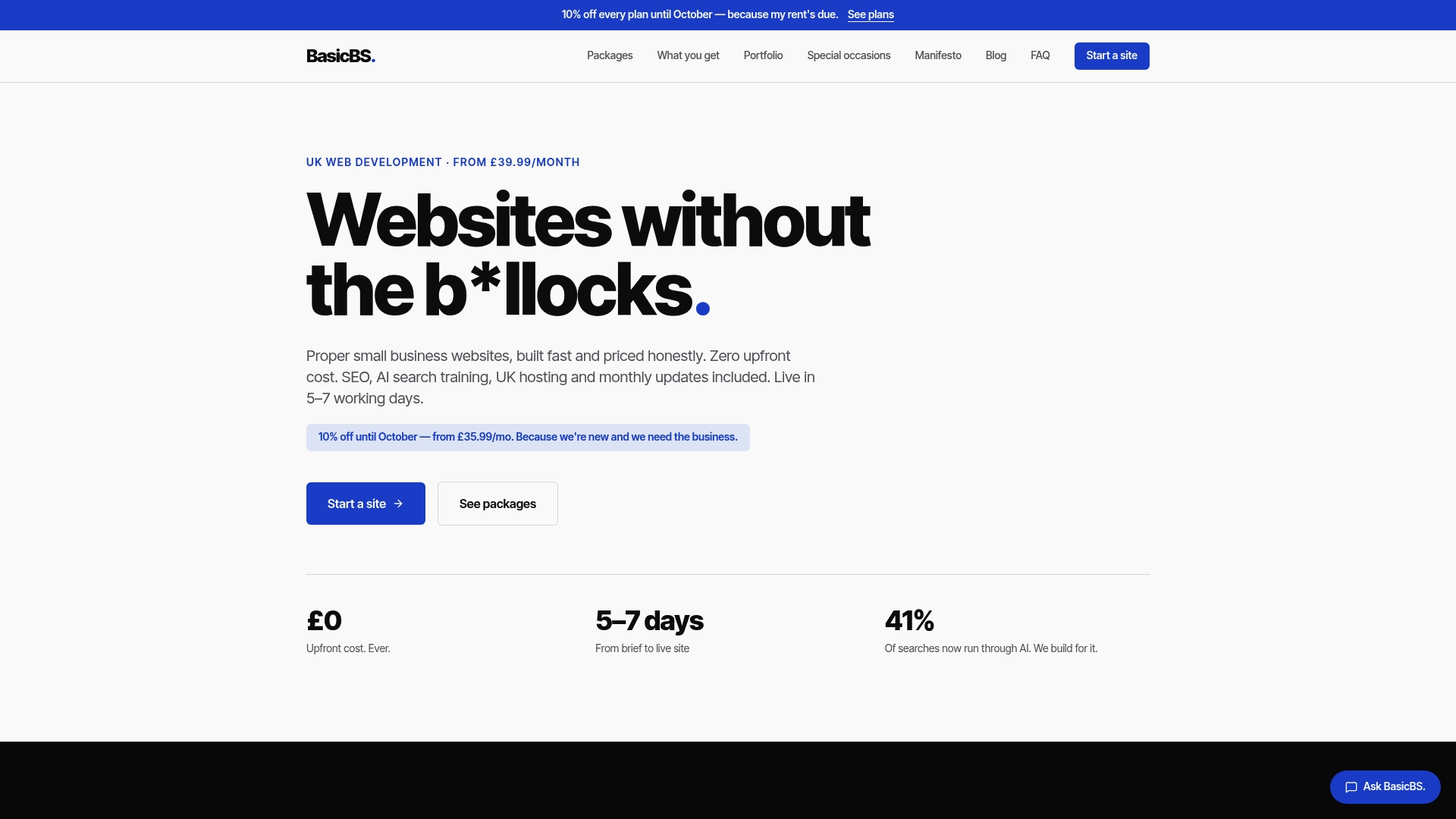
Many builds include AI search training, SEO, managed hosting with SSL, and monthly updates, helping to cover the technical checklist in this guide as standard rather than billed as extras. Sites with fast turnaround typically go live in about a week, allowing you to start collecting real Search Console data sooner compared to longer agency timelines.
This suits:
- Sole traders and local trades who need a simple, mobile friendly quote page without a long-term contract.
- Tradespeople such as electricians, plumbers, builders and joiners who want a straightforward web presence.
- Individuals planning weddings, baby showers or birthdays who want a bespoke one-page event site.
If you’d like to see what a finished build actually looks like, our portfolio of website examples is a good starting point, or head straight to our services page to see exactly what’s included.
FAQ
Is a one page website good for SEO?
Yes, provided it targets a focused set of related queries rather than many unrelated ones. Google’s page experience guidance confirms that good Core Web Vitals, mobile friendliness and secure serving all contribute to how a page performs, regardless of whether it’s one page or fifty.
Is SEO dead now with AI?
No, SEO has changed rather than disappeared, with AI-driven search features making clear structure and crawlable content more important, not less. Google’s own Search Essentials still centres on people-first content, prominent keyword placement and crawlable links, which are exactly the fundamentals this guide covers.
How much should a one page website cost?
Costs vary widely depending on design complexity, hosting and ongoing support, so there’s no single universal figure. BasicBS, for comparison, offers a one-off setup fee from £100 with its Website Sale! plan from £10 per month.
Can I make money with a one page website?
Yes, a well-targeted one page site can generate enquiries, bookings or sales if it’s built around a clear offer and a simple conversion path. Many sole traders and small businesses use a single focused page as their entire online presence precisely because it keeps the buying decision simple for the visitor.
Sources
- Gov
- Google Search Essentials
Recommended
- Website Build, AI Training, SEO & UK Hosting
- Why Cheap Website Development Fails (And What To Buy Instead)
- Website Examples & Templates